KinetiGo: a Go toolchain for LEGO robotics
Go on lego, should it exists? maybe not, but now it does! You write Go, hit run, and the little plastic brick does what you told it to. Quick note up front, since the title has "LEGO" in it: this is an independent project. Not affiliated with LEGO or Pybricks.
What it actually is
I want to be precise here, because "Go on LEGO" can mean a few different things.
The programs are real Go. They get compiled for the hub's microcontroller with TinyGo and they run on the hub itself. The laptop is not puppeting the brick over a cable. The binary lives on the hub and runs there, display, sound, lights, the lot.
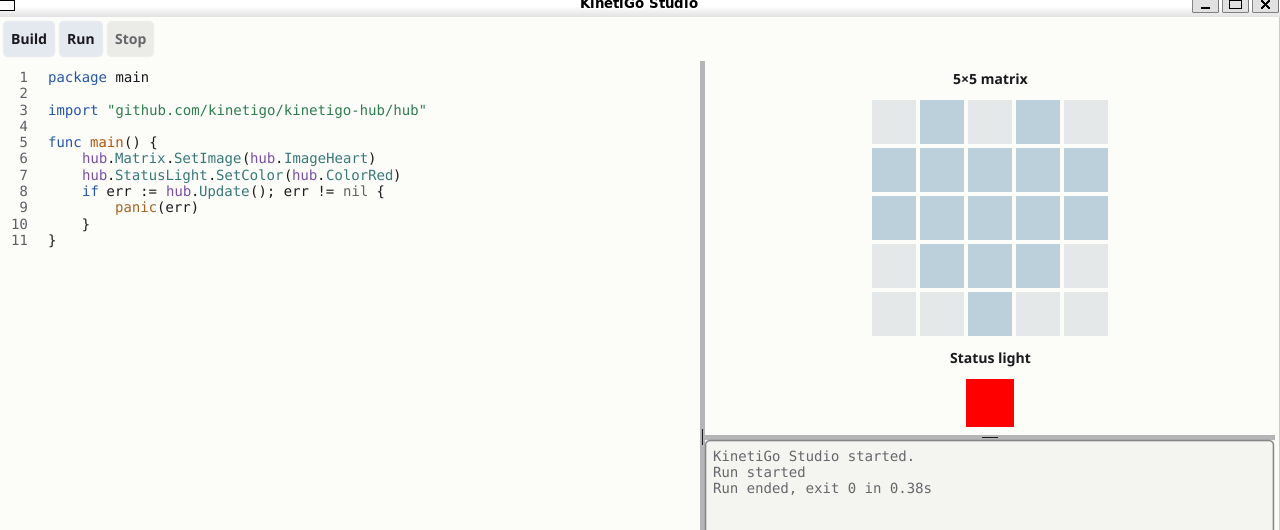
The IDE side is KinetiGo Studio. It compiles your Go, runs it against a simulator, and drives the preview from a typed event stream the firmware emits. That last part matters to me. When the preview shows a heart on the matrix, it's because your program actually set a heart on the matrix and the event came through. Not because some canned animation plays when you press the button. The preview reflects a real run.
It ships with a few small examples too. That's how most people actually learn: take something that works and break it a little.
The first program
Here's the whole hello world, same program as in the screenshot:
package main

import "github.com/kinetigo/kinetigo-hub/hub"

func main() {
	hub.Matrix.SetImage(hub.ImageHeart)
	hub.StatusLight.SetColor(hub.ColorRed)
	if err := hub.Update(); err != nil {
		panic(err)
	}
}
ImageHeart sounds like magic. It isn't. It's just the
built in starting point for the first program somebody writes, and
underneath it's pixel by pixel. Here's the real definition, exactly as
it sits in the source:
var ImageHeart = [5][5]uint8{
	{0, 20, 0, 20, 0},
	{20, 20, 20, 20, 20},
	{20, 20, 20, 20, 20},
	{0, 20, 20, 20, 0},
	{0, 0, 20, 0, 0},
}
A five by five grid of brightness values. 0 is off, 100 is full, so
the heart is drawn at 20 percent. There's also
SetPixel(x, y, brightness) for setting one dot at a time,
which is what a kid actually reaches for once the heart gets boring.
One more detail worth a sentence: SetImage and
SetColor only stage what you want. Update is
what commits it to the hardware, which is why the example ends there
and checks the error.
Hiccups
This part cost the most evenings.
The hub looked frozen. It wasn't. An interrupt handler was stuck waiting for something that could only happen after the handler finished. A self deadlock that starved everything else. On a normal computer you almost never write code that runs inside an interrupt. On a bare metal microcontroller you do it constantly, and when it goes wrong there's no stack trace, no exception, just a brick that looks dead.
Fixing the wait broke USB. One constant was doing two jobs. Shortening it for the interrupt made the device disappear from the computer while the hub itself looked fine. I kept checking the display (the original symptom) and missed the new problem for a while.
When USB finally came back, the serial port stayed silent until the terminal raised DTR. The hub had been printing the whole time, just into a closed channel.
I designed and wrote the code. AI helped with a few low level byte patterns that would have taken much longer by hand, and I used Copilot for some of the more tedious tests.
Where it stands
Today: a program written in Go runs on the hub, prints back to my computer over USB, and the display and the sound keep going while it does. Reading that back it doesn't sound like much. Sitting at the bench watching the numbers come up the port, it felt like a lot.
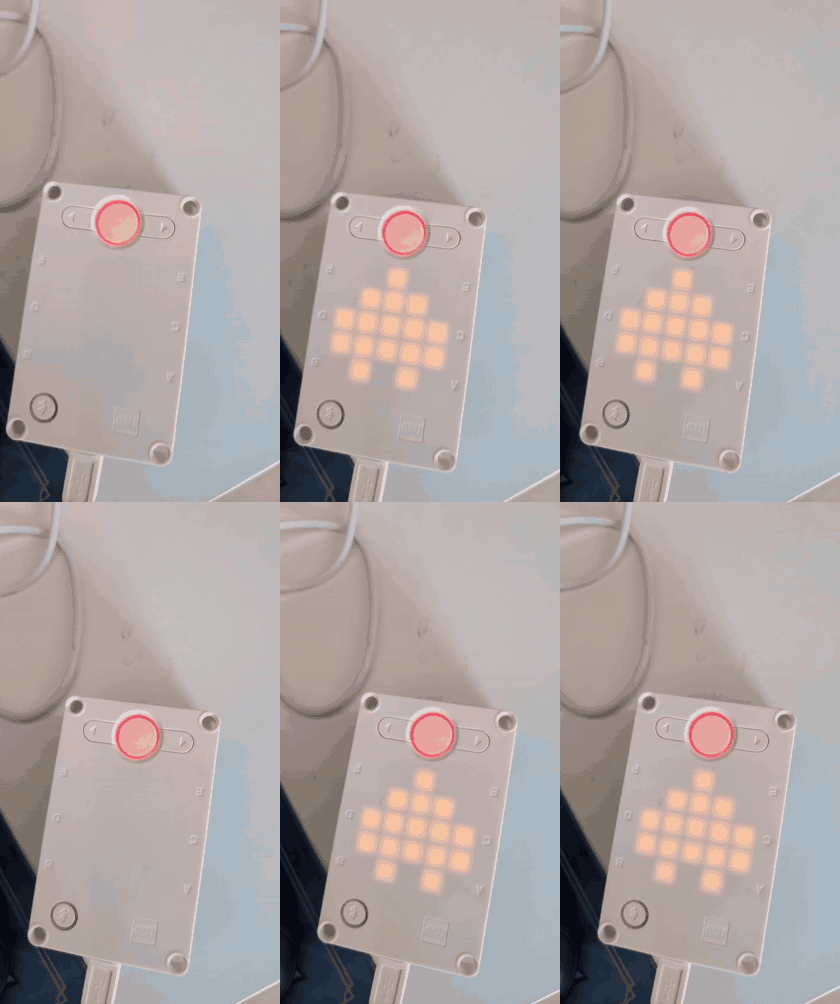
There's still a long way to go, and I'll name the worst of it so nobody thinks I'm hiding it. I still have to load the program over DFU (Device Firmware Upgrade) every single time I want to update the code. Hold the button, flash, reboot, every change. Getting rid of that is on the list, near the top.
The repository isn't public yet. I want to clean it up first. I'll open it after that.
Pybricks and TinyGo
Two projects carried this one, and they deserve more than a footnote. Pybricks is the prior art for programmable firmware on these hubs, the project that proved the whole category is possible. I learned a great deal from studying it. TinyGo is what makes Go on this chip possible at all. Without it there is no KinetiGo, full stop.
It's getting there. A small plastic brick runs Go now. That seems like reason enough to keep going.
KinetiGo is an independent project, not affiliated with LEGO or Pybricks. LEGO is a trademark of the LEGO Group, which does not sponsor, authorize or endorse this project.